AI-assisted command center for
offensive security
An AI-assisted penetration-testing workstation: recon, exploitation, listeners and pivots share managed terminals, command/output context, and sessions in one desktop app. Nothing to re-type, nothing lost between windows.
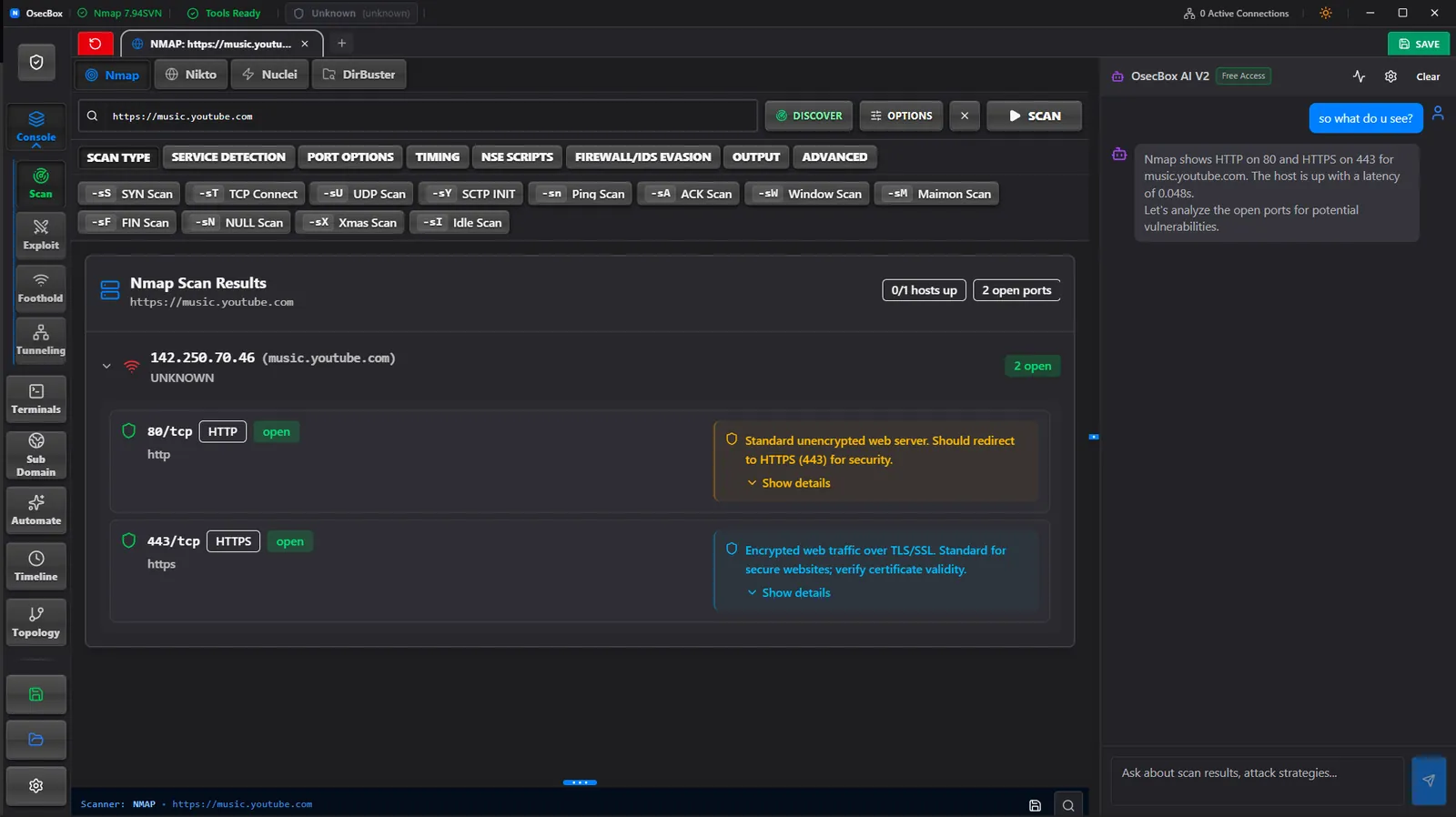
See OsecBox keep integrated tools, live terminals, command output, sessions, listeners, and pivots together in one AI-assisted engagement workspace.
Complete Offensive Toolkit
Six integrated modules with AI guidance, persistent terminals, and shared command/output context for every stage of penetration testing
AI co-pilot
OsecBox AI
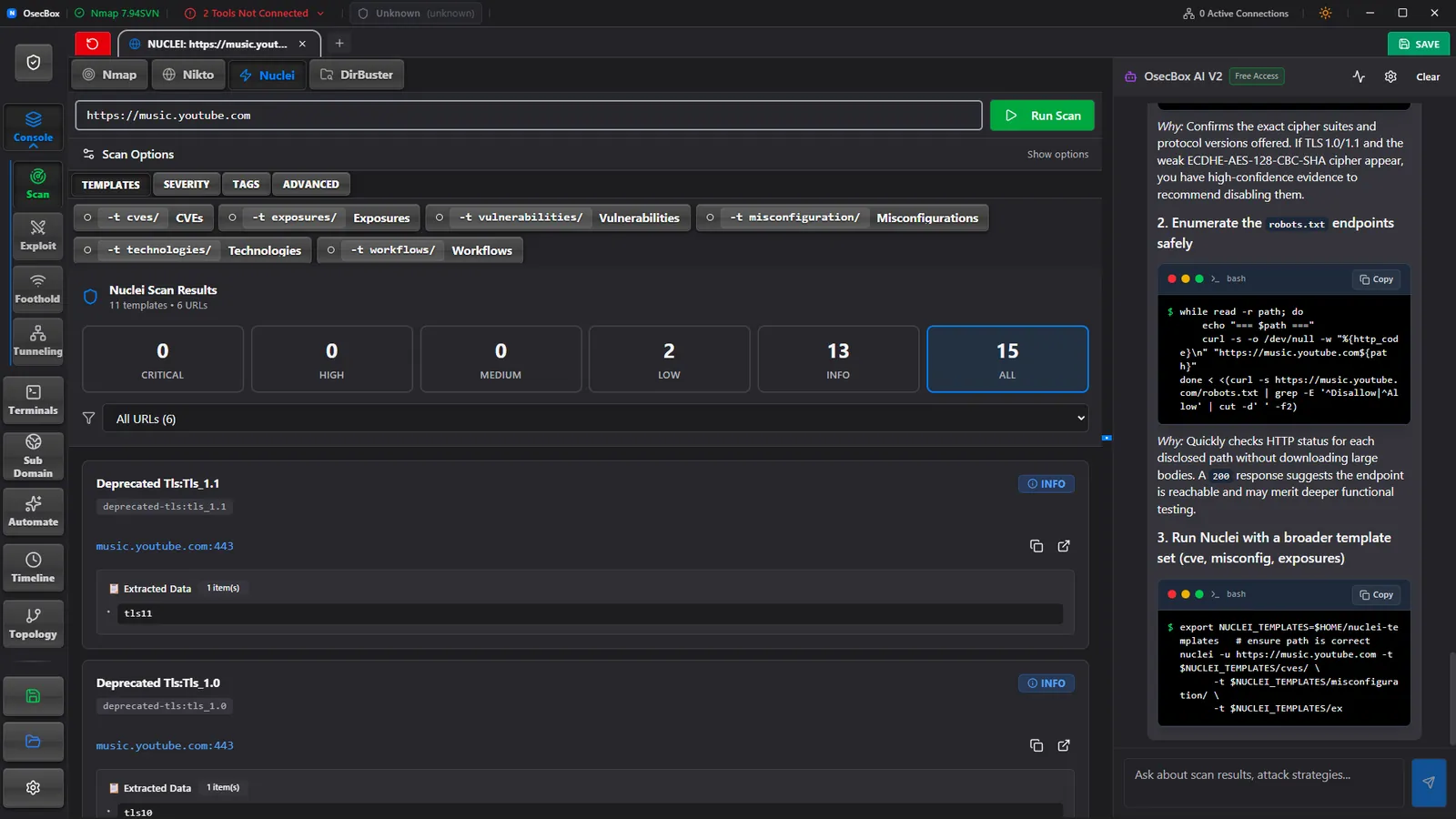
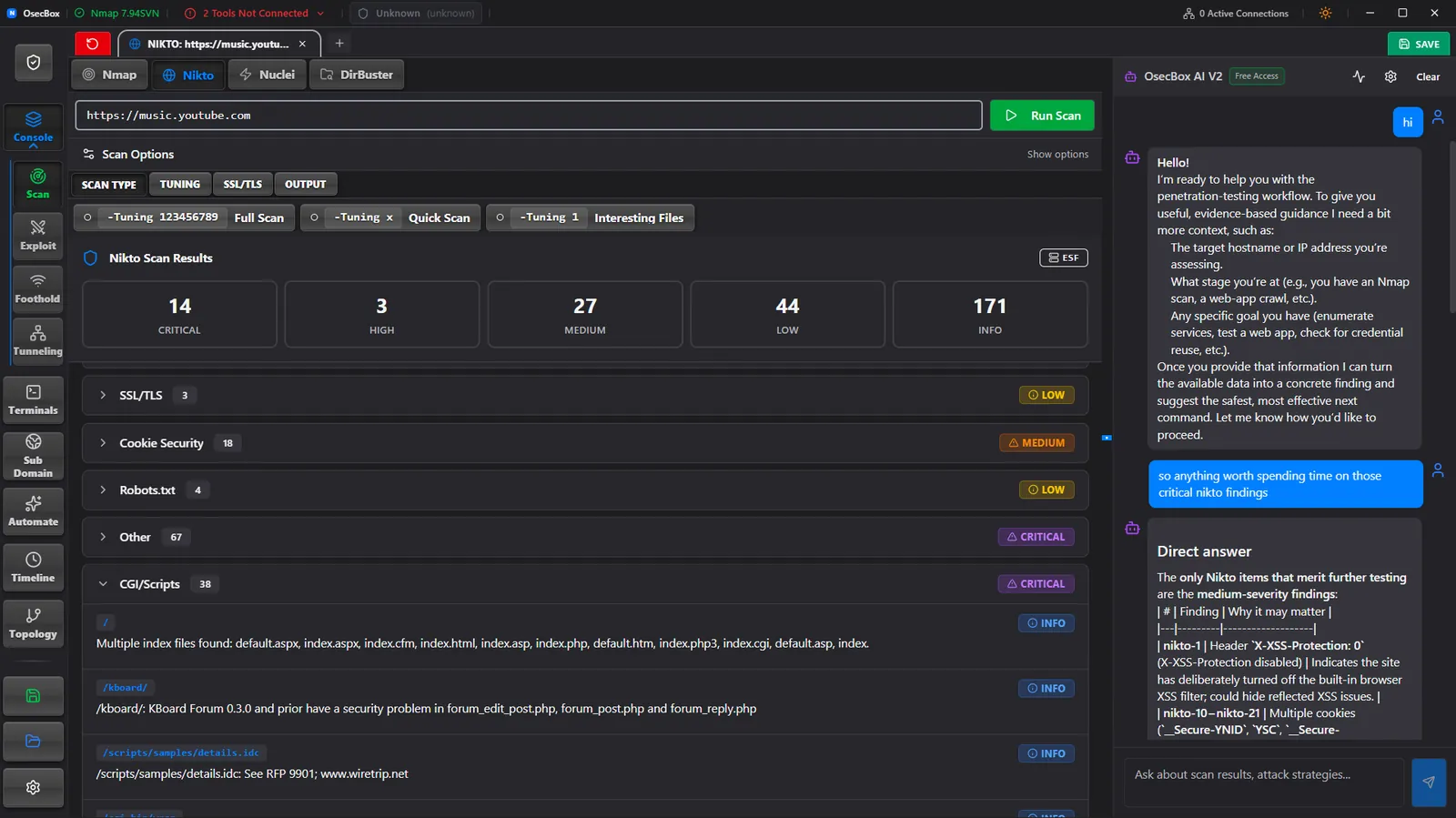
The AI panel reads the raw output of whatever you just ran. It points out which findings actually matter, explains what they mean, and gives you the next command with the target already filled in. Nothing to copy out, paste into a chat window and paste back.
Recon
Integrated Scanners
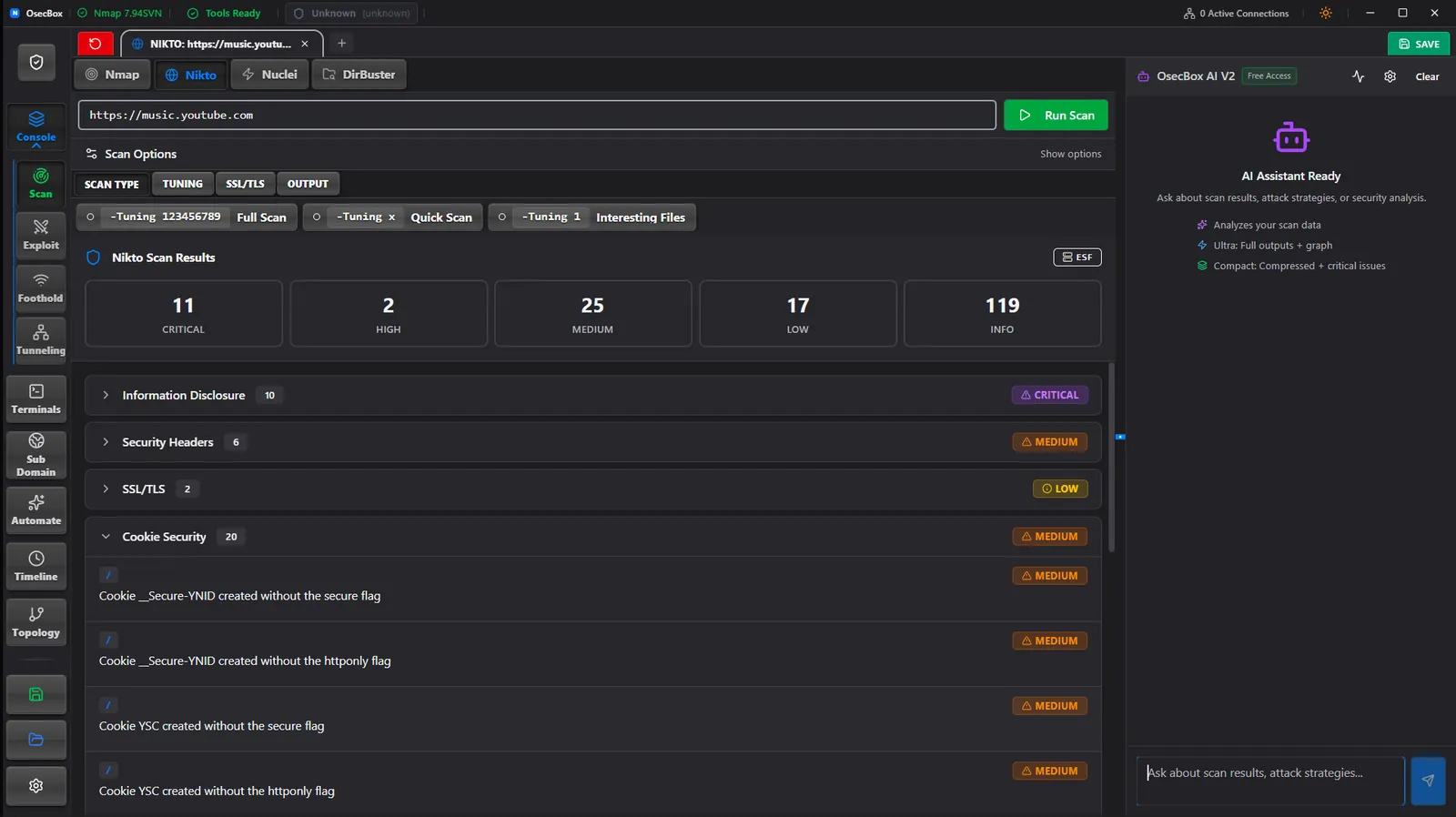
Nmap, Nikto, Nuclei and DirBuster share one launcher. Over 70 Nmap flags are toggles instead of man-page lookups, and each run gets its own tab with live output plus a parsed view of ports, findings and hits. Up to 30 scans can run side by side without a single extra terminal window.
Exploitation
Metasploit, Orchestrated
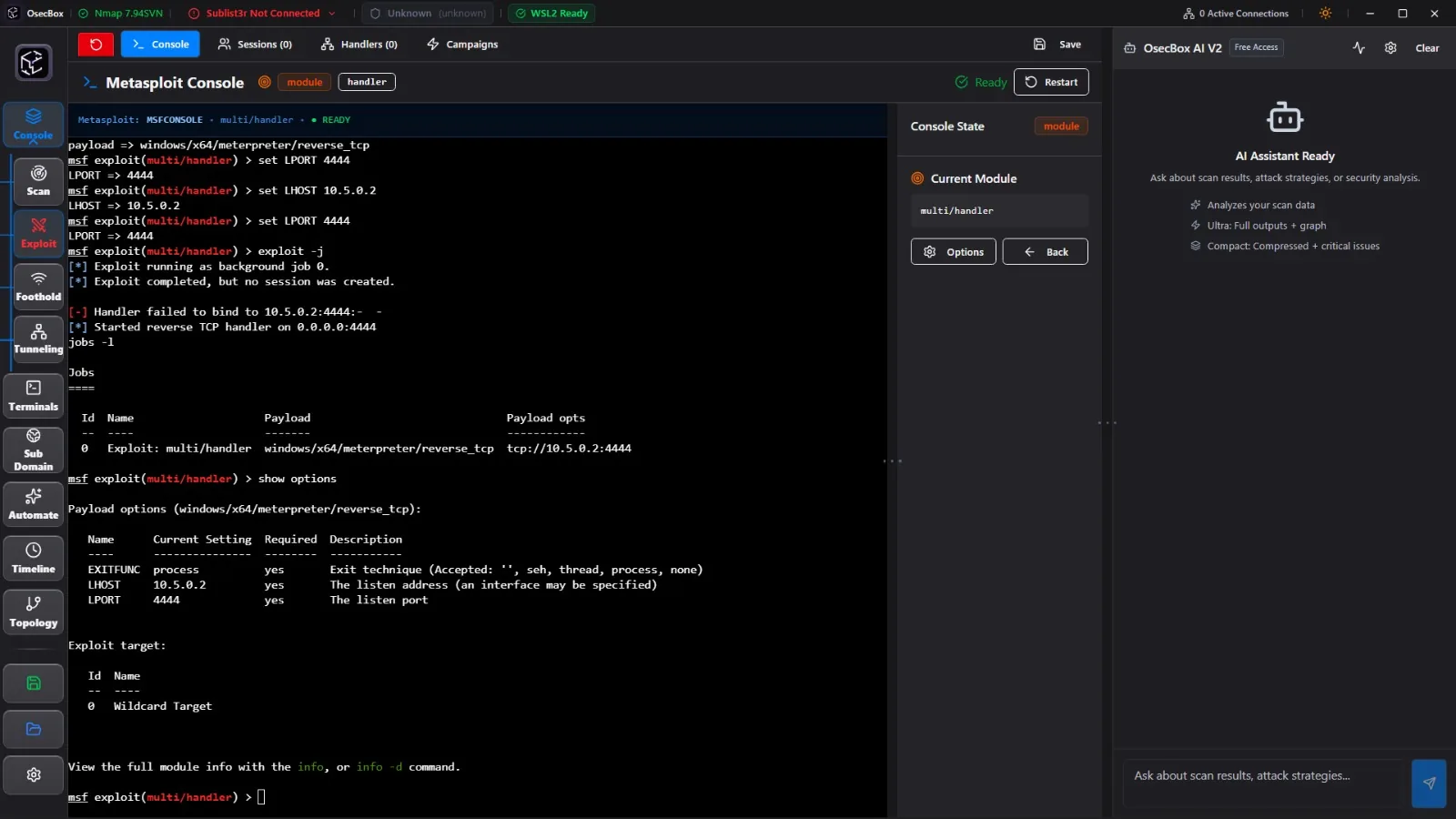
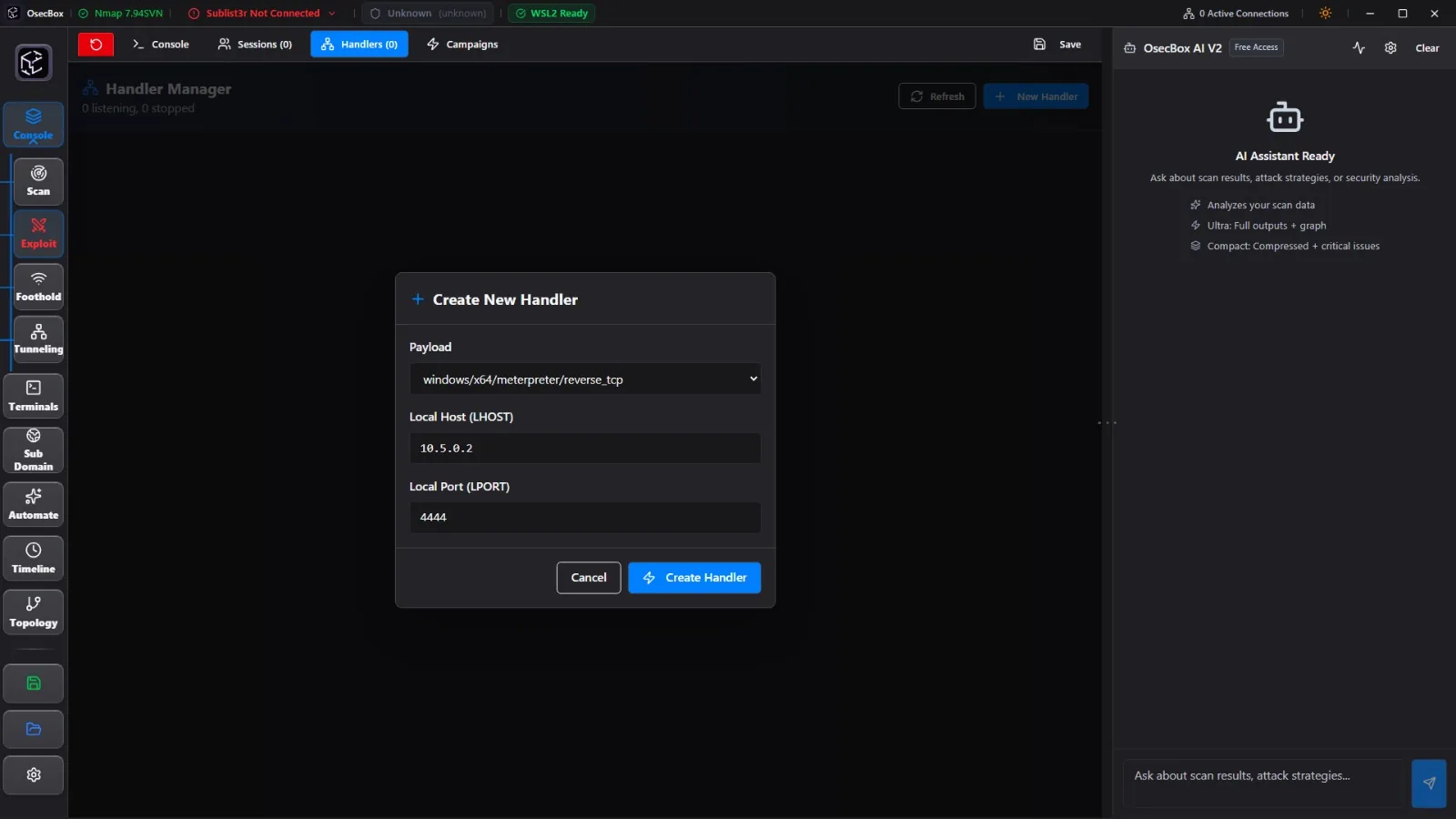
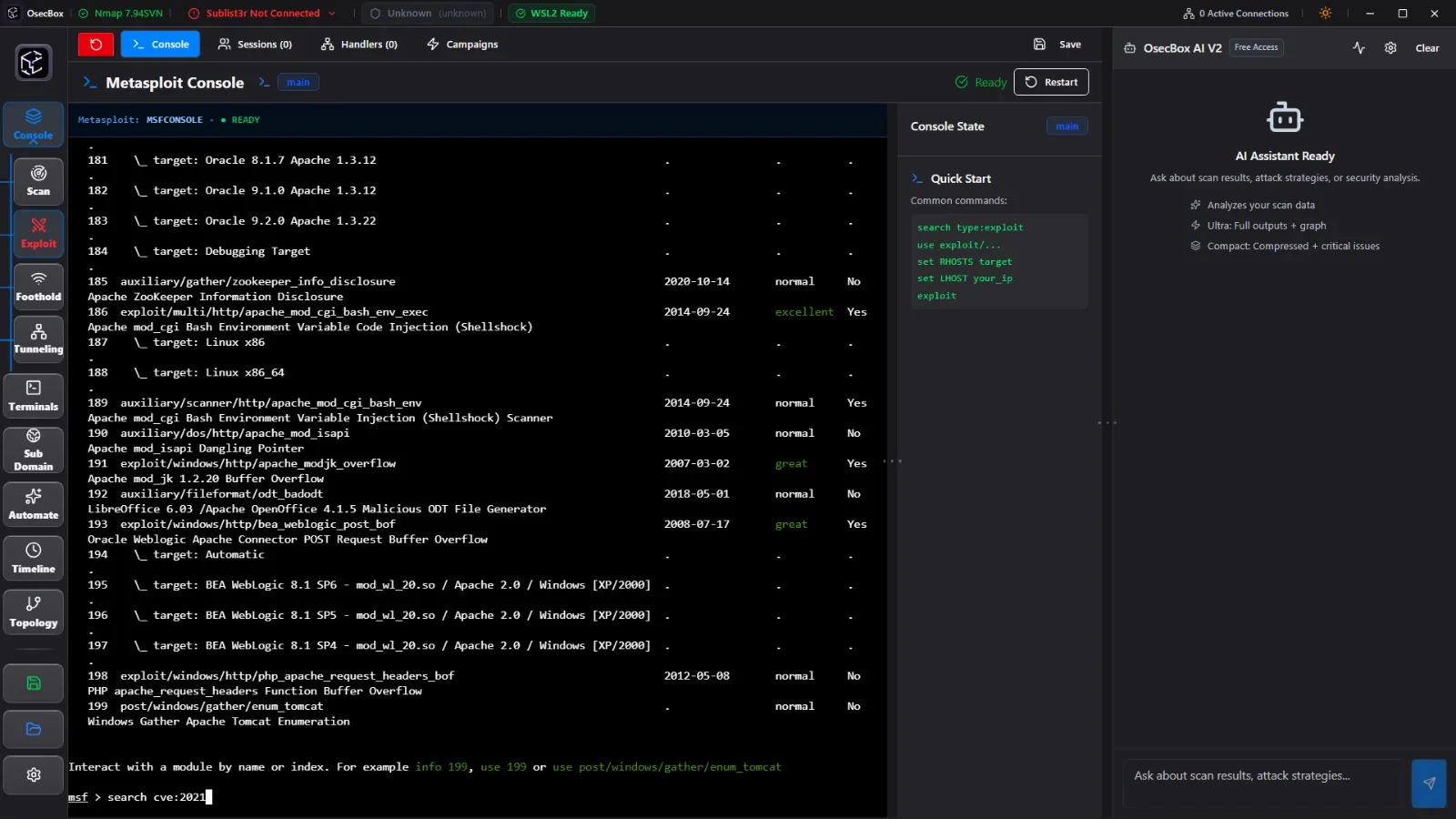
Not a button skin over msfconsole. OsecBox owns a live msfconsole RPC session end to end: the handler manager spins up multi/handler jobs with payload, LHOST and LPORT validated before they run, the current module and its options stay mirrored in a state panel, CVE searches return a browsable index you click instead of retyping, and every job, session and error line is captured for the AI and the timeline.
Post-exploitation
Listener Management
Start netcat, socat or Metasploit handlers from a form instead of recalling the flag order. Every listener keeps its own terminal, shows whether a shell is attached, and stays alive while you work in another tab, so catching a callback never costs you the session you were already in.
Lateral movement
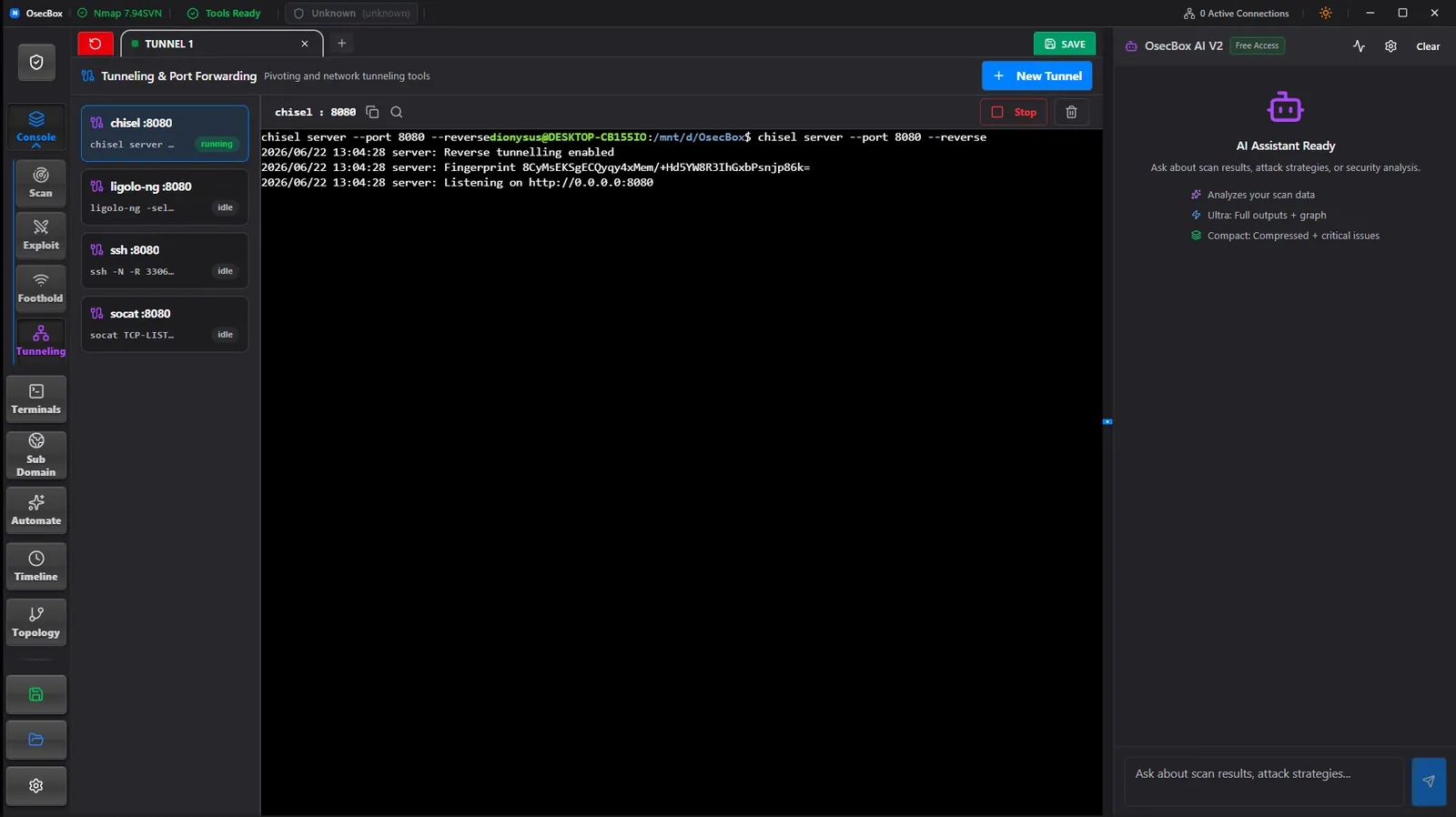
Network Pivoting
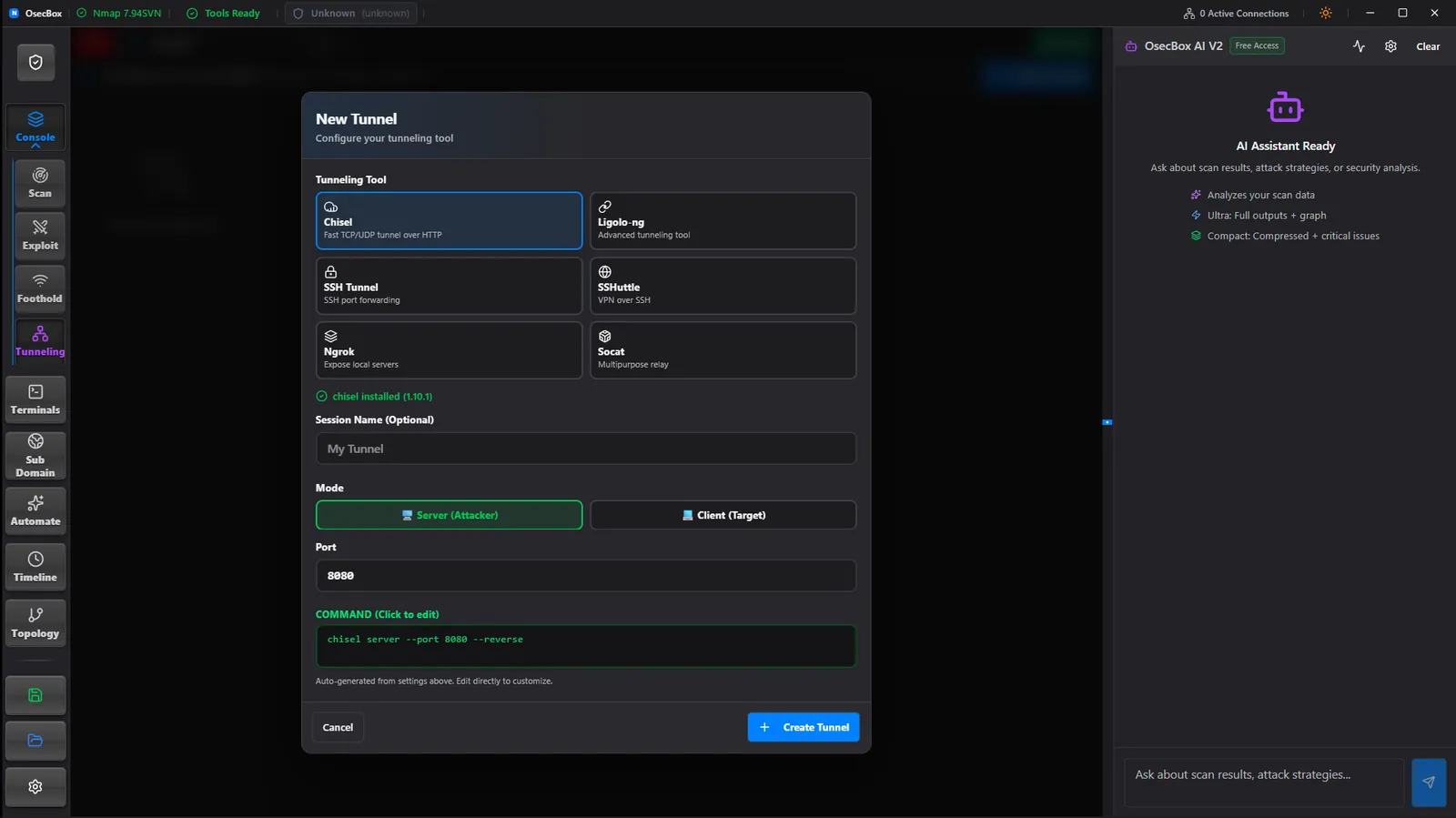
Set up SSH tunnels, chisel and proxy chains from the panel that also shows them running. Port forwards, active routes, and their live command/output context stay attached to the terminal that owns each path, so you can tell at a glance which route into the internal subnet is still up.
Reporting
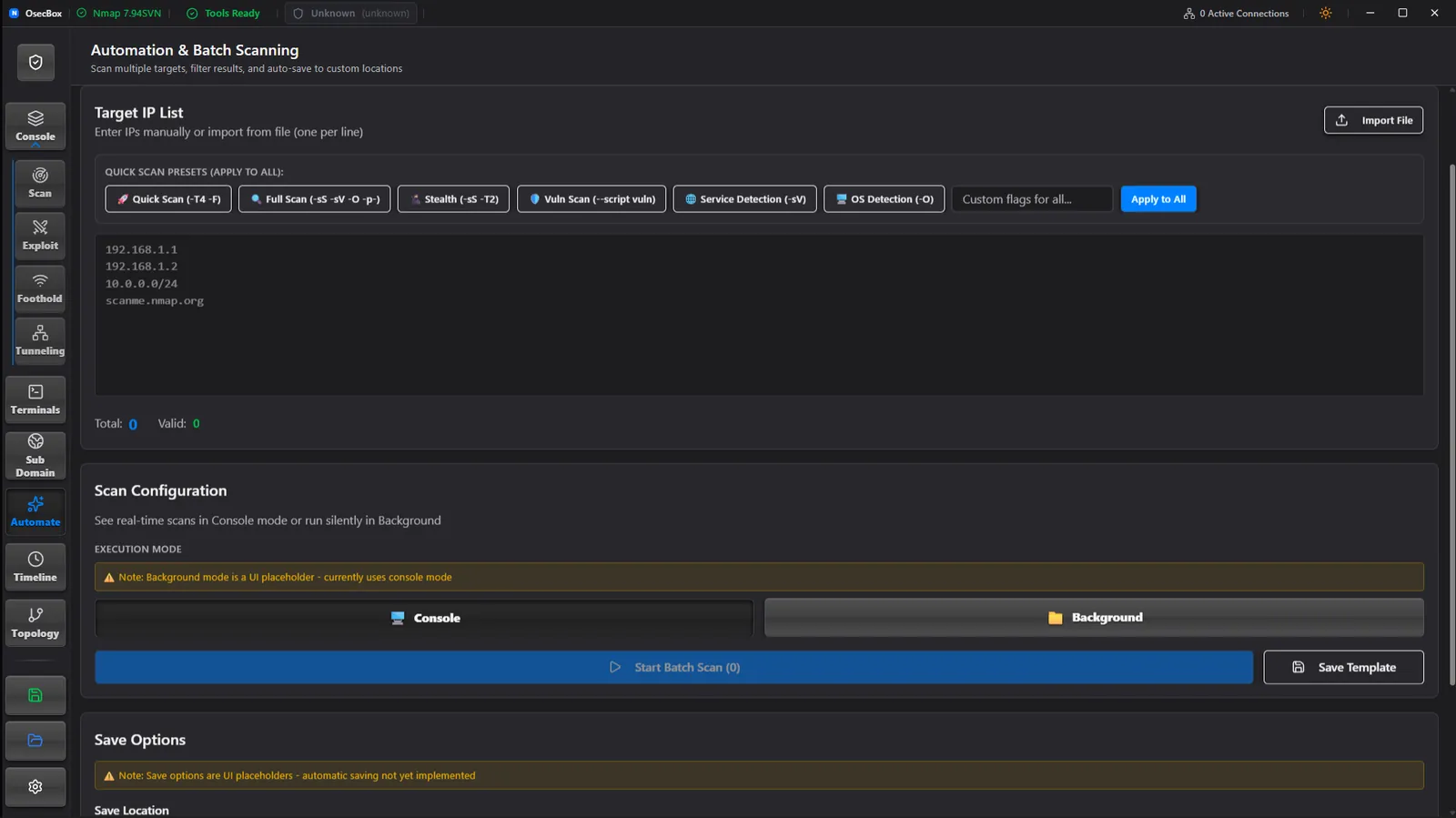
Timeline & Automation
Every scan, exploit attempt and shell that opened lands on a timestamped timeline you can scroll back through. Scans can be queued against a target list or set to repeat on a schedule, and the captured work can be exported as an engagement report.
Why OsecBox
Stop fighting your tooling
The same tools you already run, wired into one AI-assisted workstation that keeps your targets, commands, output, terminals and sessions together from recon through post-exploitation.
The problem
Every tool has its own syntax, its own terminal and its own output format. You retype the same target ten times and still lose track of which run found what.
The fix
Nmap, Nikto, Nuclei, DirBuster and a live Metasploit session driven from one AI-assisted workstation. Flags become toggles, output stays parsed and per-tab, terminals keep their context, and the AI reads each result to tell you where to go next.
Network topology map
Discovered hosts are drawn as a graph. Click a node to pull up its ports, scan output and findings without hunting through tabs.
Timestamped activity log
Scans, exploit attempts and shell connections are recorded as they happen, so the report writes itself from what you actually did.
Scheduled scans
Point a preset at a target list and set an interval. Long sweeps run on their own while you work somewhere else.
Resumable sessions
Scans, findings, shells and tunnels save with the workspace. Reopen it tomorrow and the engagement is exactly where you left it.
Ready to simplify your pentesting?
Download the AI-assisted penetration-testing workstation that keeps tools, terminals, command output, sessions, listeners, pivots, and timelines together.
Free and open source • Apache 2.0 • no account, no telemetry